Customise the emails Jira sends
Write your own notification emails per project: your subject, your text, any field, your design.
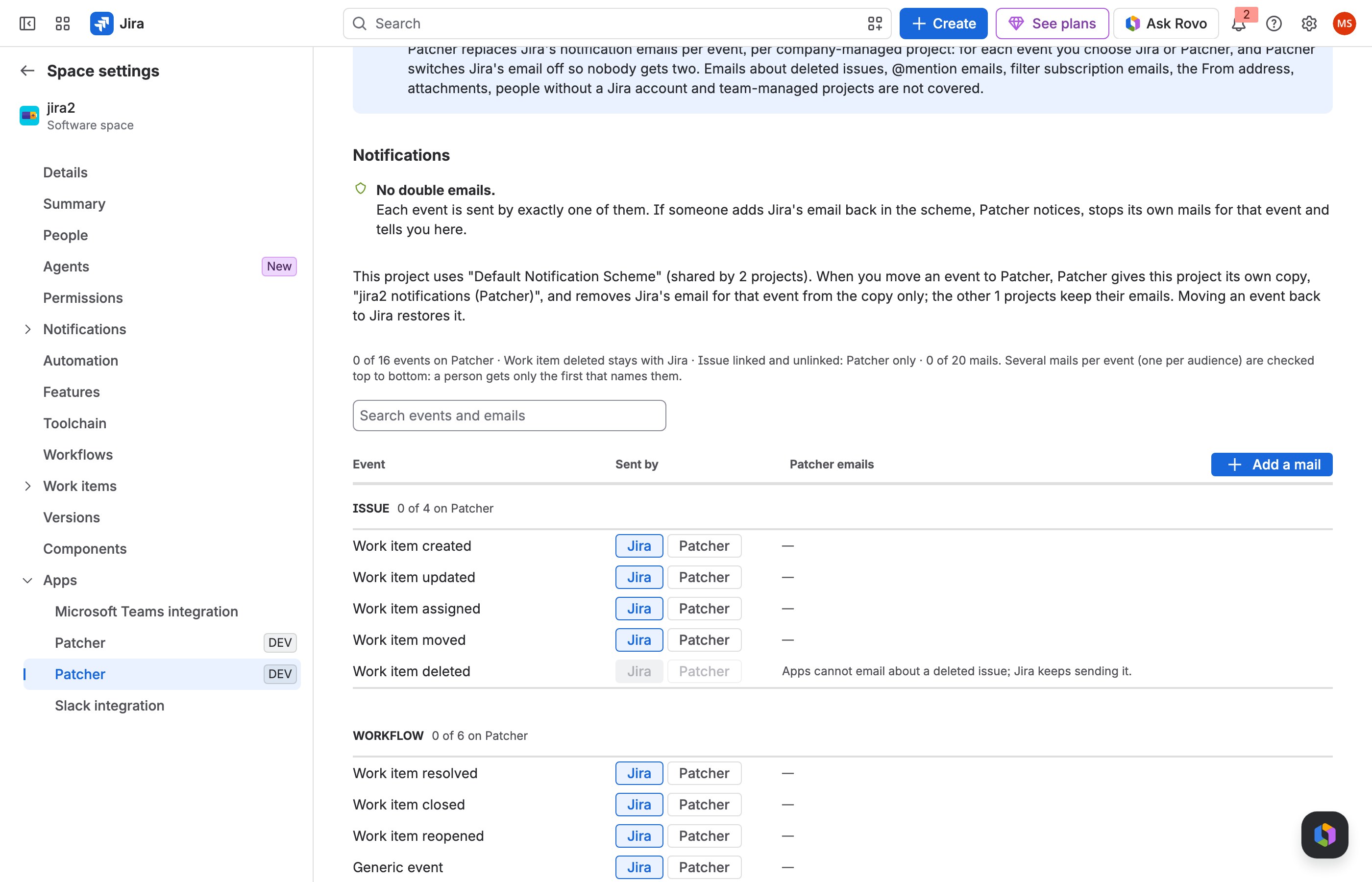
1 Choose Add a mail.
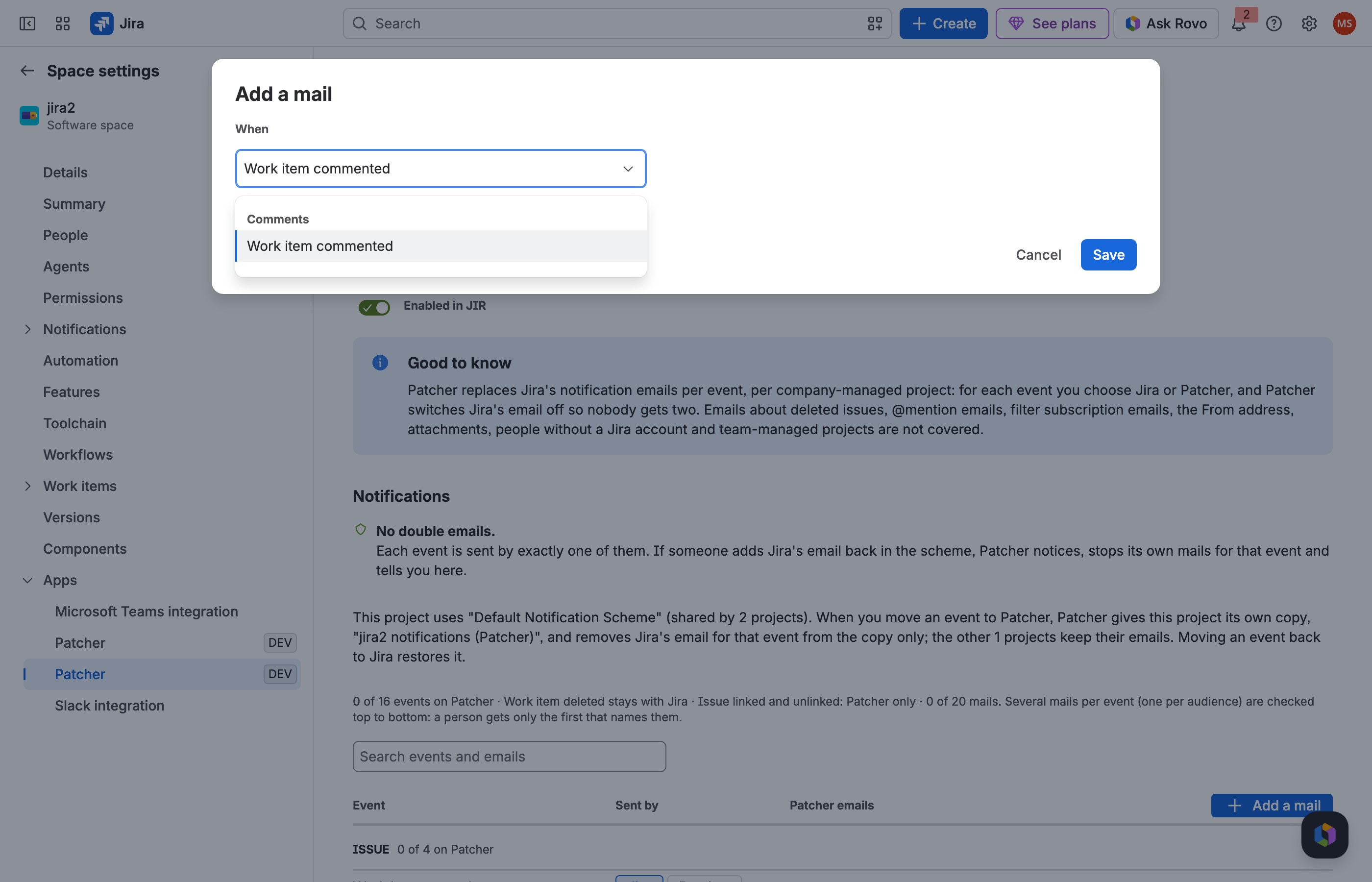
2 Pick the event the mail belongs to.
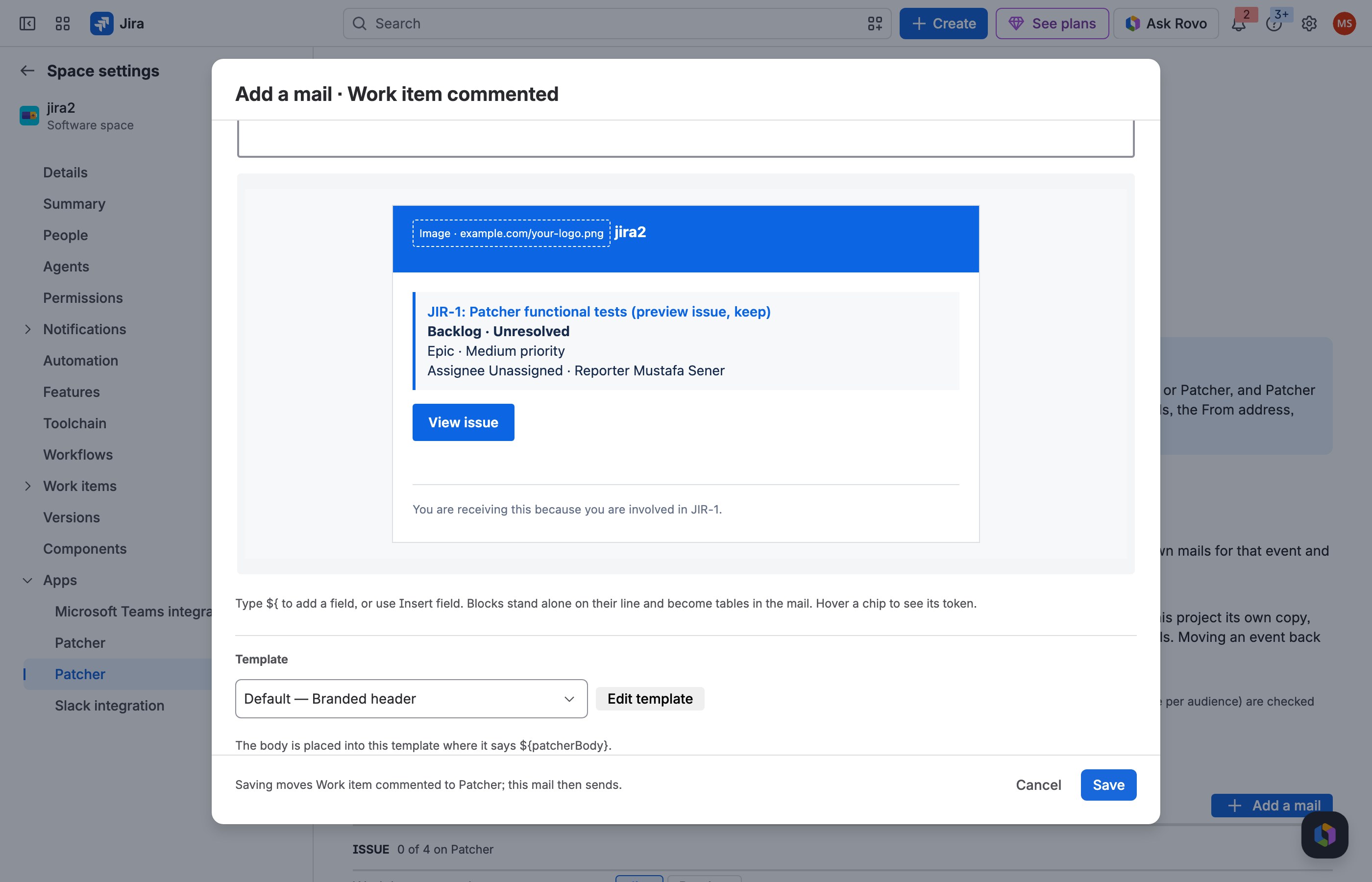
3 Preview it for an issue, then Save.
What this patch does
Patcher lets you replace Jira's notification emails in a project with mails you write yourself. For every Jira event (created, updated, assigned, commented, resolved, work logged and the rest) you choose who sends the email: Jira, as today, or Patcher. When you choose Patcher, Jira's own email for that event is switched off, so nobody ever gets two.
- Your words and your fields. Write the subject and body in a rich editor. Type
${to drop in any field, custom fields included. - Your design. Every mail sits in an email template with your logo, colours, a View issue button and a footer.
- The right people. Each mail has its own recipients, people it never emails, and an optional JQL condition.
Mails go out through Jira's own mailer, only to people who can see the issue. Nothing leaves your Atlassian site.
Turn it on, step by step
-
1
Install the fix
Open Jira settings, Apps, Patcher. On the Fixes tab, find this request under Available and choose Install.
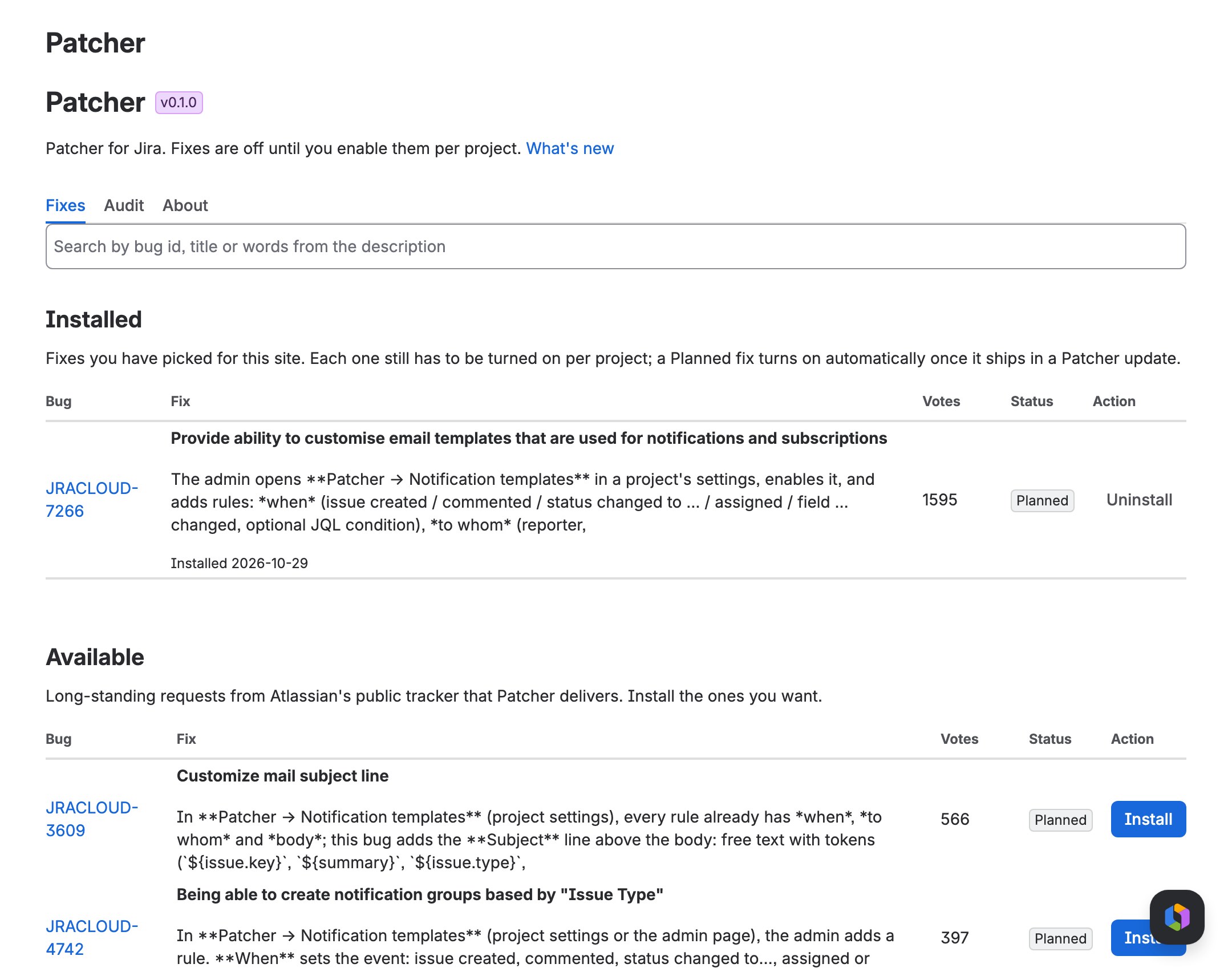
The Patcher admin page, with the fix installed. -
2
Enable it in your project
In Project settings, Apps, Patcher, switch the fix on for your project. Notifications, Email templates and the Sent log appear below the switch.
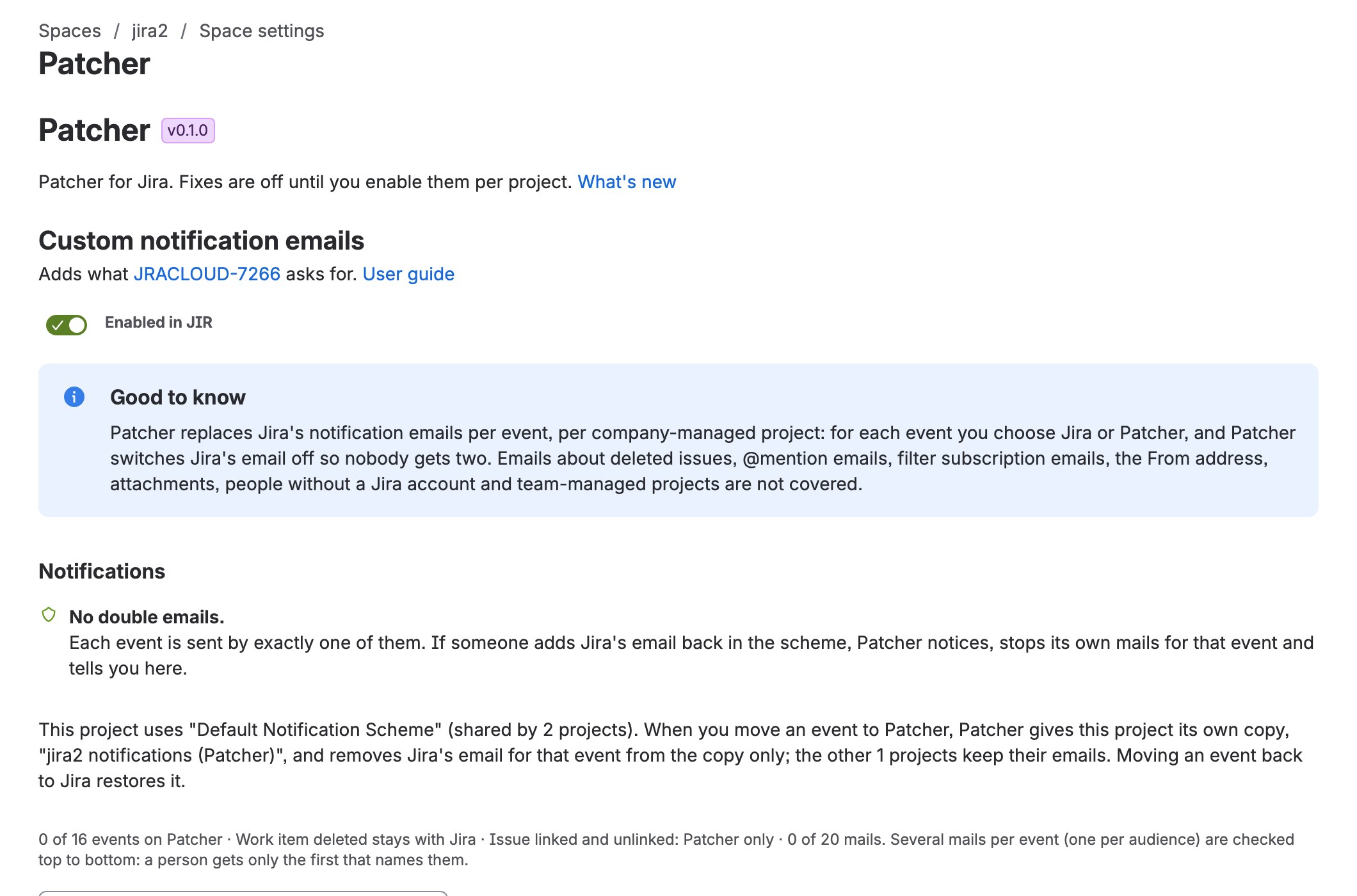
-
3
Add a mail
Choose Add a mail, pick the event (for example Work item commented), and keep Move this event to Patcher when I save ticked. The mail starts with Jira's own recipients and a ready subject and body.
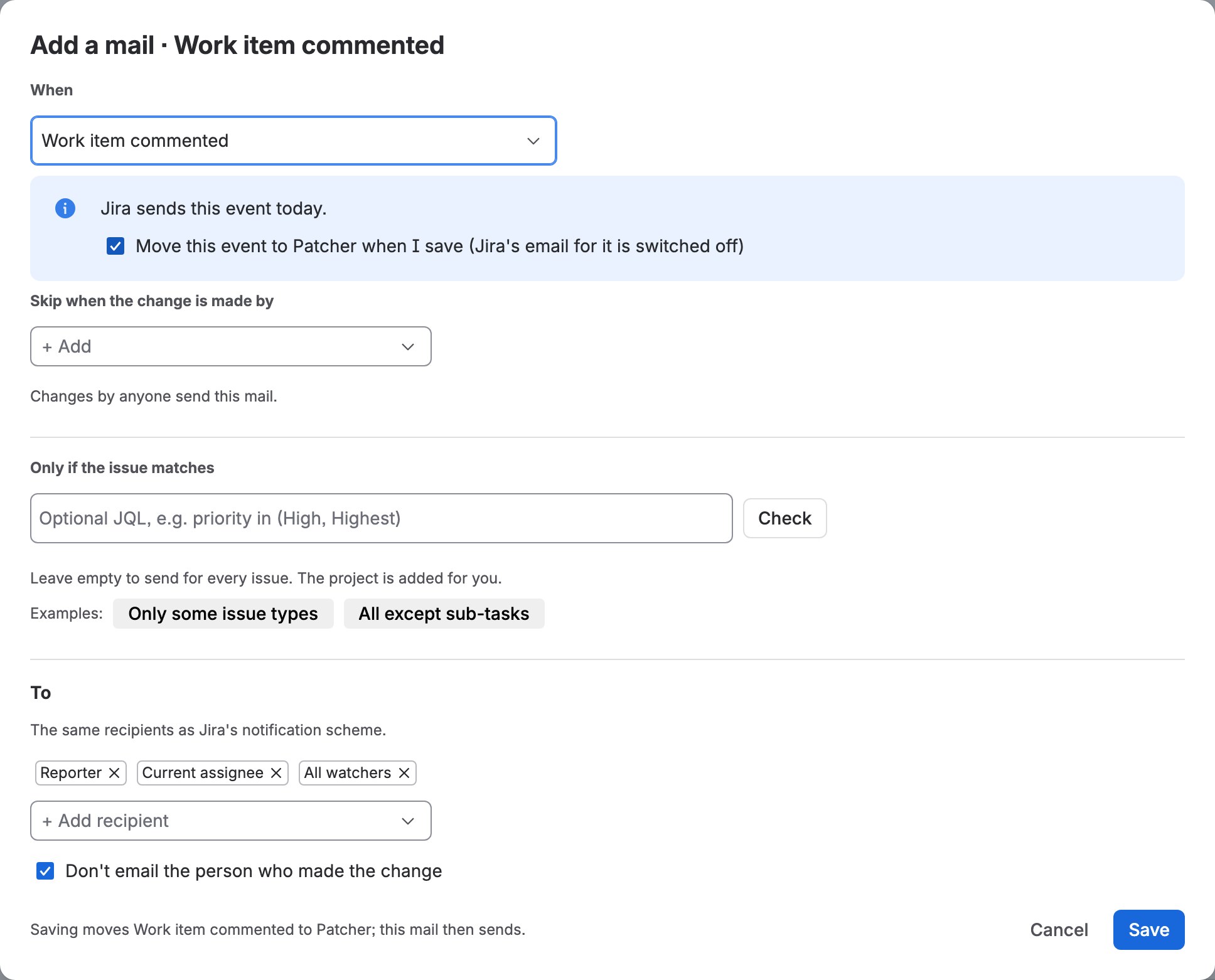
-
4
Preview on a real issue
Under Preview, pick an issue of the project and see the subject, who would get the mail, and the mail in its template. Send test to me mails it to you.
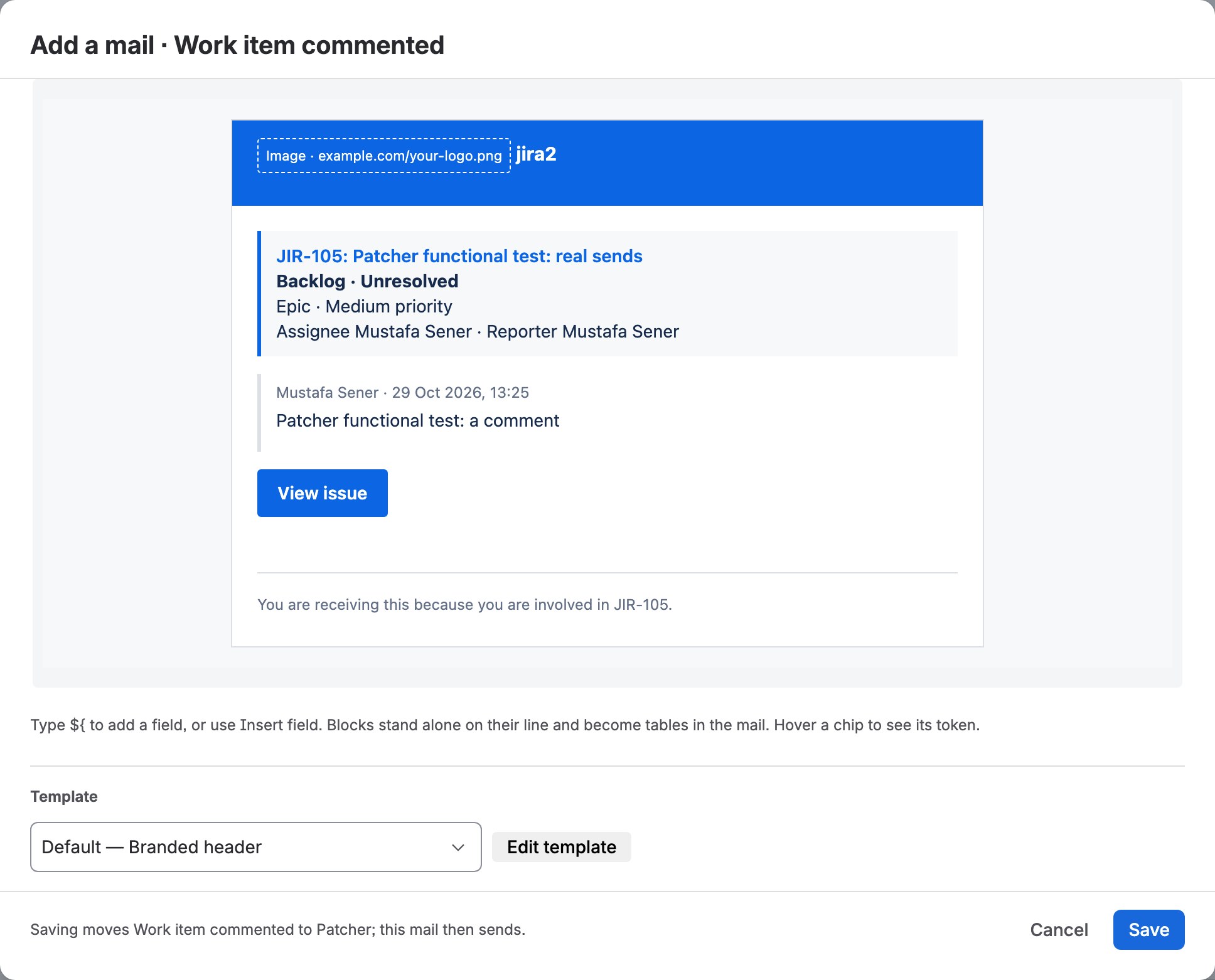
-
5
Save
Choose Save. The event is now sent by Patcher, and the next comment in the project sends your mail. The Sent log shows who got it.
Top community comments
We have asked for a real email template editor in Cloud for years. Velocity templates were fine in Data Center, but Cloud left us with nothing.
412Being able to choose recipients per event and drop in custom fields would replace three automation rules we maintain by hand.
268The detail everyone else misses: it switches Jira's own email off, so people never get two notifications for the same change.
97